
作者: hongkongfun 時間: 2026-3-6 17:07 標題: Win 10 / 11 安全憑證即將到期 - 檢查及重新配置
本帖最後由 hongkongfun 於 2026-3-7 18:33 編輯
如何檢查有否更新 Secure Boot 憑證
" Microsoft 解釋,所有仍受支援的 Windows 系統都使用這三個憑證來支援第三方軟硬件及 Windows 生態系統。如果安全憑證過期,將導致 Secure Boot(安全啟動)功能失效;系統將無法安裝任何安全性更新;無法使用任何於 2026 年 6 月以後以新憑證簽署的第三方軟件;亦無法安裝以新憑證簽署的驅動程式。"
[youtube]sqwEA6_hq6M[/youtube]
檢查憑證
。以系統管理員身份執行 Power Shell
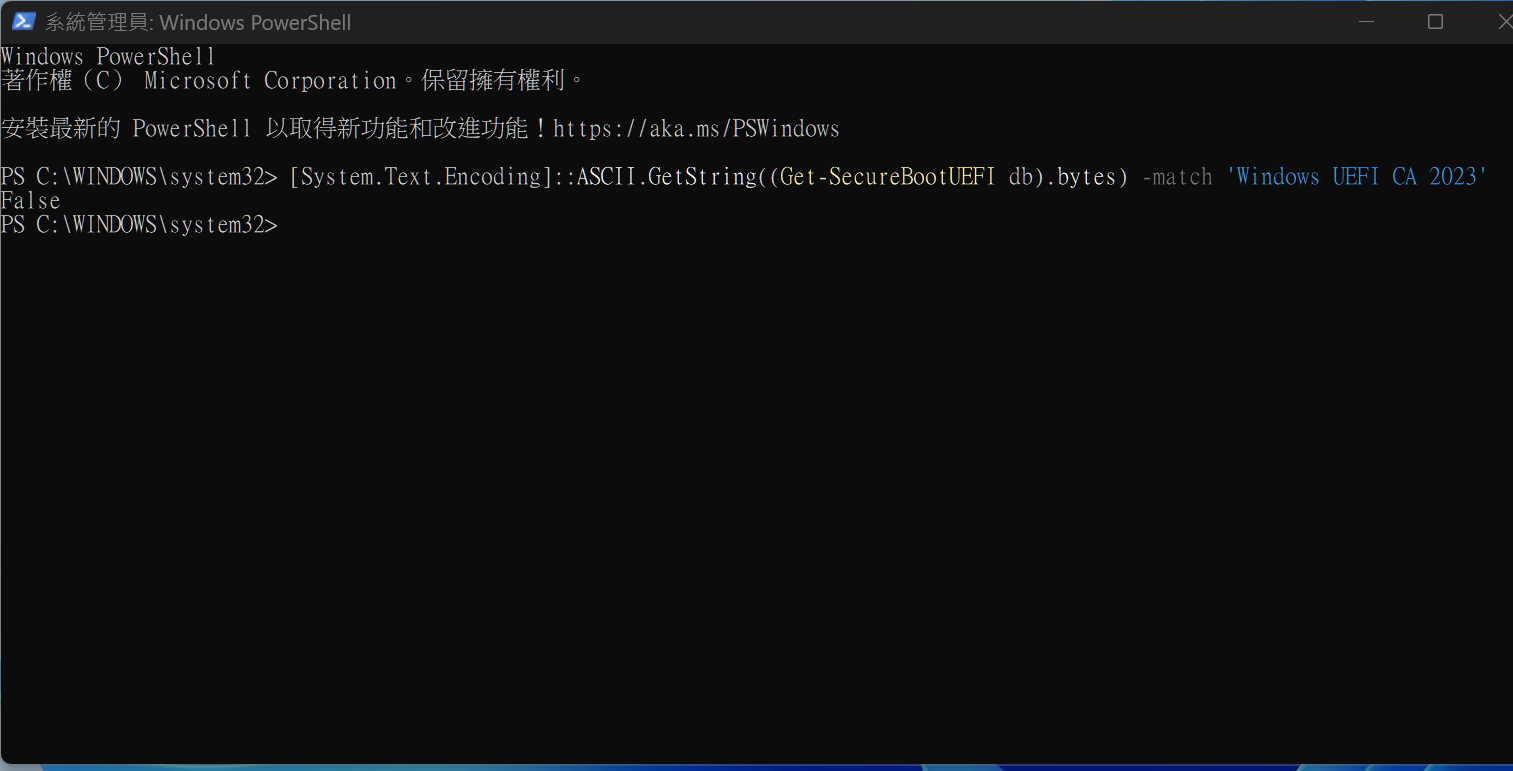
。輸入 " [System.Text.Encoding]::ASCII.GetString((Get-SecureBootUEFI db).bytes) -match 'Windows UEFI CA 2023'
" 後按 enter
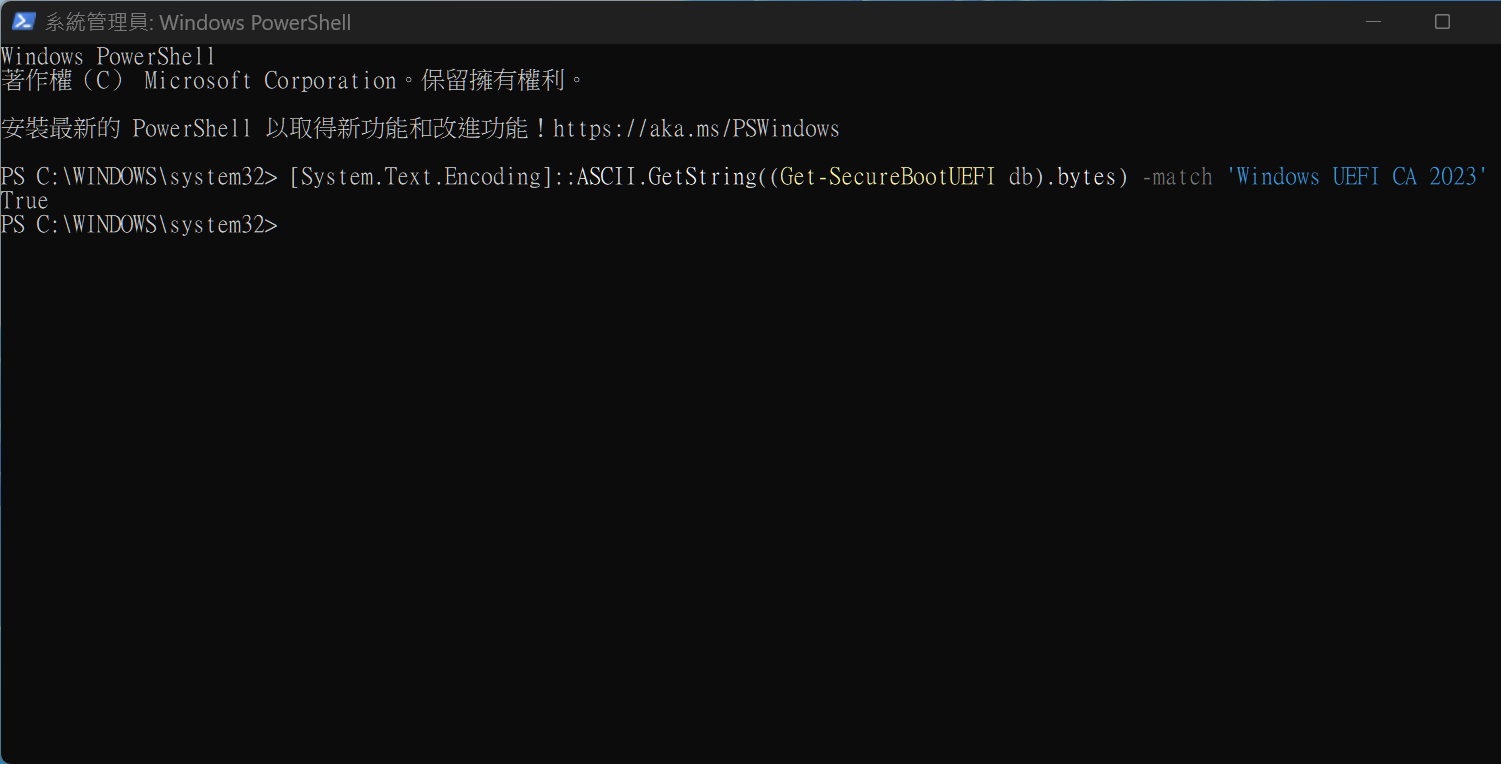
。如果顯示是 " True ",表示 Windows UEFI CA 2023 憑證已存在於您的安全啟動資料庫中
。如顯示是 " False " 代表您的裝置尚未收到憑證。
重新配置憑證
。以系統管理員身份執行 Power Shell
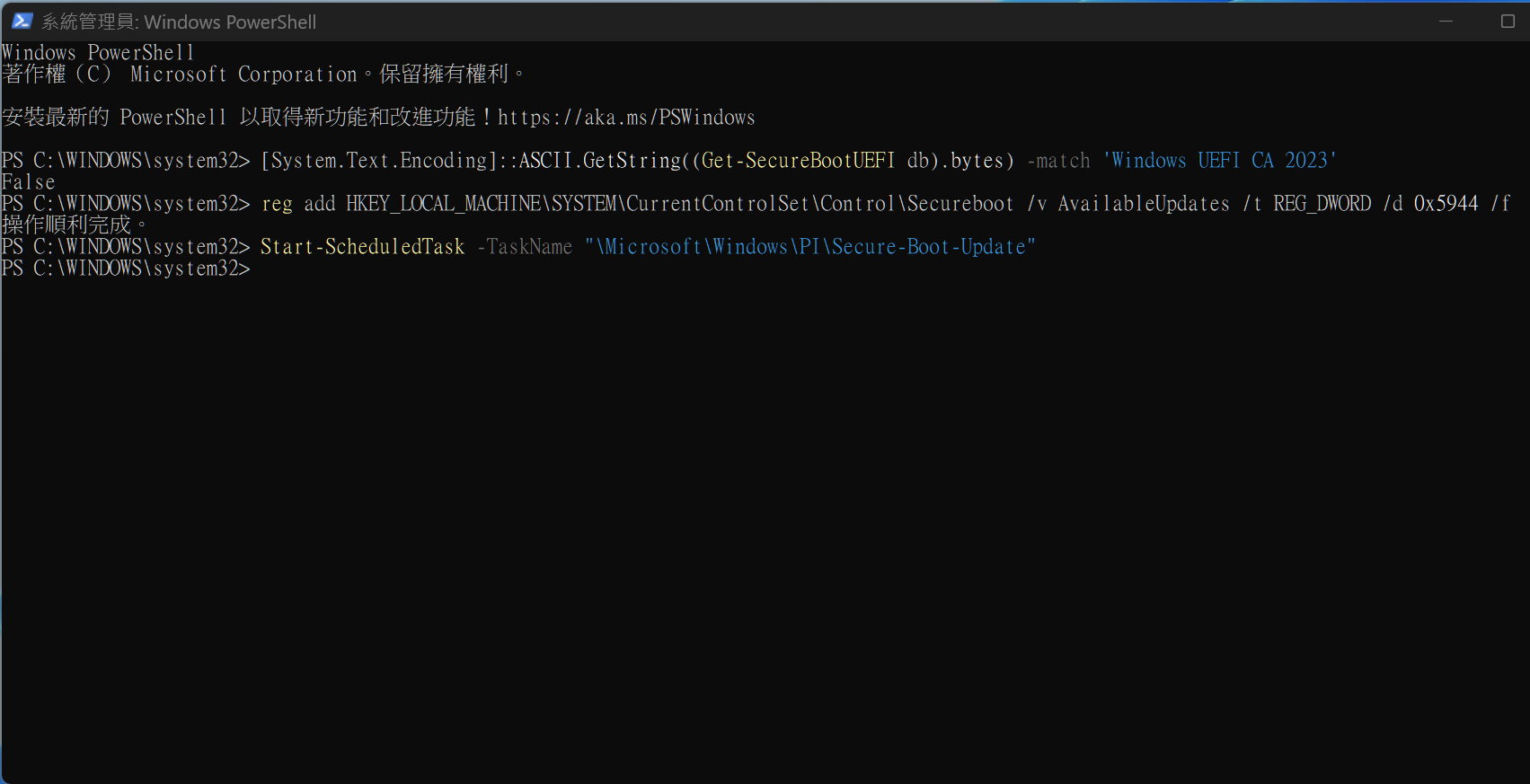
。輸入 " reg add HKEY_LOCAL_MACHINE\SYSTEM\CurrentControlSet\Control\Secureboot /v AvailableUpdates /t REG_DWORD /d 0x5944 /f " 後按 enter
。輸入 "
Start-ScheduledTask -TaskName "\Microsoft\Windows\PI\Secure-Boot-Update" " 後按 enter
。重啟 ( Re-start ) 電腦兩次
。再用 Power Shell 檢查是否轉已轉變為 " True "
原本False


重新配置轉True
.
 圖片附件: c0.jpg (2026-3-6 17:07, 70.45 KB) / 下載次數 51
https://h1.hkepc.com/forum/attachment.php?aid=2517716&k=8a98417c5f7671a61fdbee9ffa64911b&t=1781327229&sid=tbf47YHJt
 圖片附件: c4.jpg (2026-3-6 17:07, 107.55 KB) / 下載次數 41
https://h1.hkepc.com/forum/attachment.php?aid=2517717&k=6a142542bbaea6d20381c0a334103afc&t=1781327229&sid=tbf47YHJt
 圖片附件: c7.jpg (2026-3-6 17:07, 66.78 KB) / 下載次數 49
https://h1.hkepc.com/forum/attachment.php?aid=2517718&k=8414c5f58b32bbf5a2a249339deacd22&t=1781327229&sid=tbf47YHJt
作者: 惡魔城城主 時間: 前天 12:09
依個要開左secure boot至做到, 而且有人個task會在reboot loops?
作者: hongkongfun 時間: 前天 20:35
回覆 2# 惡魔城城主
本身已選用 UEFI,Secure boot 已 enable 了,可在 Power Shell 輸入上述 Codes 而不需再開 Secure boot。關於 reboot loops 可能由 CSM 或 Legacy 關閉造成,但詳細不清楚,因我未遇上 reboot loops 問題。
作者: Pc3228 時間: 前天 21:23
是不是每次開機之後都要入powershell 入codes ?
作者: hongkongfun 時間: 前天 22:10
是不是每次開機之後都要入powershell 入codes ?
Pc3228 發表於 2026-6-11 13:23

如果 Powershell 顯示 " True " 即是安全憑證已更新了,不需要再開 Powershell 入 codes。
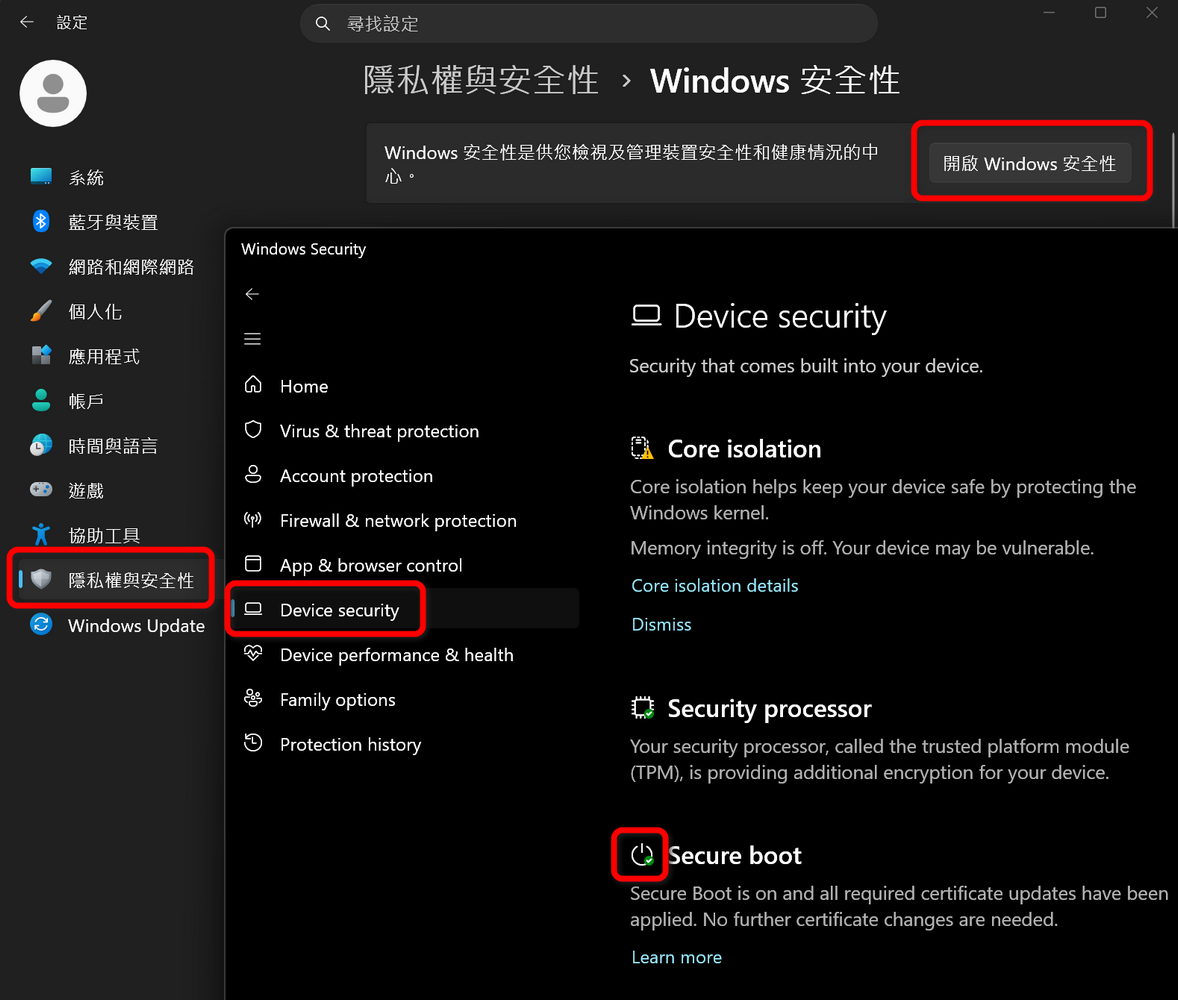
或者可打開 Windows 設定內的 Secure Boot 個圖案是否綠色。綠色即是無問題。
.
圖片附件: cert.jpg (前天 22:10, 119.01 KB) / 下載次數 1https://h1.hkepc.com/forum/attachment.php?aid=2529374&k=f21257f566ccf7a032bc40f3c0a6acf3&t=1781327229&sid=tbf47YHJt
作者: 惡魔城城主 時間: 昨天 12:54
如果 Powershell 顯示 " True " 即是安全憑證已更新了,不需要再開 Powershell 入 codes。
或者可打開 Wi ...
hongkongfun 發表於 11-6-2026 22:10
試過win10/11 and asus機, 行完個ScheduledTask有部份update到一個, 有D update晒三個
有部份再行埋26-1月份patch就會全update, 但有D又win update失敗, ok飄忽